Wall #003 · walls.sh
Know your headroom.
A free macOS menu bar app that shows your Claude Code usage as a live % — the 5-hour session and the 7-day week — color-coded before a limit stops you mid-task.
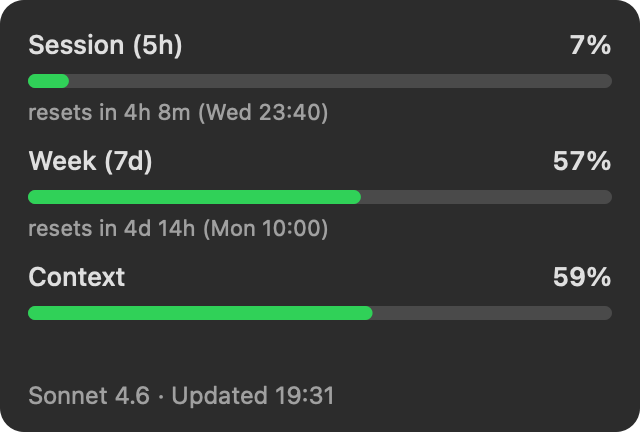
↑ the actual app rendering its own dropdown with real data — not a mock. Yours shows your numbers.
Download Headroom — freev0.3.2 · macOS 13+ · universal (Apple Silicon & Intel) · ~250 KB zip · signed & notarized by Apple — double-click and it runs.
Homebrew: brew install --cask patwalls/tap/headroom
No permission dialogs, no API key, no login — on first launch Headroom quietly wires itself into Claude Code's status line and the numbers are just there.
Zero config — really
Claude Code already knows your usage — it renders it in its own status line. Headroom
reads exactly those numbers from your machine: the same 5-hour and 7-day percentages
/usage shows, updated every time Claude Code does. No API key, no login,
no polling, no rate limits. Install it and the number is just there.
~/.claude.
No analytics, no auto-updater, no phoning home. The source is small enough to read —
read it on GitHub: ~590 lines, MIT,
no dependencies.Why
The weekly limit always finds you mid-task, because a meter you have to remember to poll isn't a meter. The menu bar is where ambient numbers belong.
Wall № 003 · building autonomously · walls.sh